Flutter vs React Native vs WebView Wrapper: Which Should You Choose in 2026?
Want to see your own site as an app? Paste its address: the free preview shows it in a phone frame. No account needed.
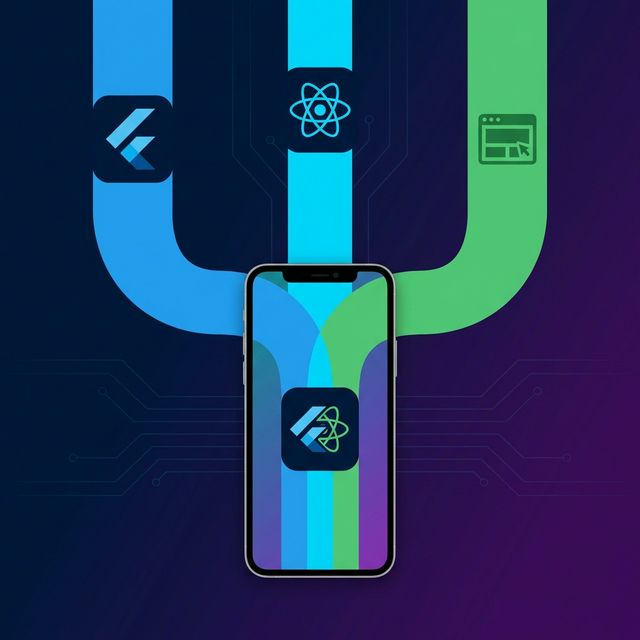
Every year, someone publishes a "Flutter vs React Native" article that reads like a press release. This isn't that article. I've shipped production apps with all three approaches, and I'll tell you what actually matters when choosing.
TL;DR: Flutter for pixel-perfect custom UI. React Native for teams with existing JavaScript expertise. WebView wrapper for content-driven apps where the website IS the product. The right choice depends on your app type, team, and budget.
The Three Approaches, Explained Simply
Flutter
Google's UI toolkit that compiles Dart code to native ARM code. It renders every pixel itself using the Impeller engine — no platform UI components involved. Think of it as a game engine for apps.
React Native
Meta's framework that uses JavaScript to control actual native platform components. Your JavaScript code tells iOS to render a native UIButton or Android to render a native TextView. The new architecture (Fabric + TurboModules) removes the old bridge bottleneck.
WebView Wrapper
A native app shell that loads your existing website inside a WKWebView (iOS) or WebView (Android). Enhanced with a native bridge for biometrics, camera access and other device features, plus push notifications on Android. Your website IS your app.
Honest Comparison Table
| Factor | Flutter | React Native | WebView Wrapper |
|---|---|---|---|
| Development Time | 2-6 months | 2-5 months | 1-7 days |
| Cost (MVP) | $15,000-50,000 | $12,000-40,000 | $50-500 |
| Performance | Excellent (60-120fps) | Very Good | Good (web-dependent) |
| UI Flexibility | Complete | High | Web CSS only |
| Offline Support | Full | Full | Limited |
| Team Needed | Dart developers | JS/React developers | Web developers (any) |
| Maintenance Burden | Separate codebase | Separate codebase | Update website only |
| App Size | 15-30 MB | 8-20 MB | 3-8 MB |
When to Choose Flutter
Flutter is the right choice when:
- Custom UI is critical: You need pixel-perfect designs that look identical on iOS and Android. Think Duolingo-style gamified interfaces.
- Complex animations: Smooth 120fps animations, custom page transitions, or data visualization.
- Multi-platform expansion: You plan to target iOS, Android, Web, Windows, macOS, and Linux from one codebase.
- Greenfield project: You're starting from scratch with no existing website or web team.
Real-world example: A fintech startup building a trading app with real-time charts, custom widgets, and smooth gesture interactions. Flutter's rendering engine shines here.
When to Choose React Native
React Native makes sense when:
- Your team knows JavaScript/React: The learning curve is minimal for experienced web developers.
- Platform-native look: You want your app to feel like a "real" iOS app on iOS and a "real" Android app on Android.
- Rich ecosystem: You need third-party integrations that are already available as React Native modules.
- Rapid iteration: Hot reload and a massive open-source community mean faster development cycles.
Real-world example: A social media app with complex feed algorithms, real-time chat, and lots of third-party integrations (payments, analytics, crash reporting).
When to Choose a WebView Wrapper
A WebView wrapper is the smart choice when:
- You already have a great website: Why rebuild something that works? Wrap it and add native features.
- Content is king: Blogs, news sites, e-commerce stores, documentation portals, admin dashboards.
- Budget is limited: You need app store presence but can't afford months of native development.
- Speed matters: Go from zero to app store in days, not months.
- Single source of truth: Update once (your website), and the app reflects changes instantly.
Real-world example: A Shopify store owner who wants push notifications and Play Store presence. A WordPress site that needs a mobile app for reader engagement. A SaaS company wanting to let users check dashboards on mobile.
The dirty secret of this industry: many "native" apps from big companies are actually WebView-based. If your content is web-first, a well-built WebView wrapper is indistinguishable from a native app to 95% of users.
The Decision Framework
Answer these three questions to find your answer:
-
Do you already have a mobile-responsive website?
If yes → WebView wrapper is your fastest path. If no → Consider Flutter or React Native.
-
Does your app need heavy offline functionality or complex animations?
If yes → Flutter (animations) or React Native (platform-native feel). If no → WebView wrapper handles most use cases.
-
What's your budget and timeline?
Under $1,000 / under 1 week → WebView wrapper. $10,000-50,000 / 2-6 months → Flutter or React Native.
Common Myths, Debunked
Myth: "WebView apps always get rejected by app stores"
False. Thousands of WebView-based apps are live on both the App Store and Google Play. They get rejected when they're just a URL bookmark with zero native features. Add native features such as biometric login, native nav and proper branding (push too, where your iOS build includes it; Code2Native's iOS builds do not), and you'll pass review.
Myth: "React Native performance is terrible"
Outdated. The new architecture (Fabric renderer, TurboModules, JSI) eliminates the bridge bottleneck. Apps like Instagram, Facebook, and Discord use React Native at scale.
Myth: "Flutter apps look the same on every platform"
Only if you let them. Flutter supports both Material Design and Cupertino widgets. You can make platform-adaptive UIs that feel native on each platform — it just takes more work.
FAQ
Can I switch approaches later?
Yes, but it's expensive. A common strategy: start with a WebView wrapper to validate the concept and get user feedback, then invest in Flutter or React Native if the app becomes a core revenue channel.
Which approach is best for e-commerce?
WebView wrapper, hands down. Your Shopify/WooCommerce store IS the product. Wrapping it with push notifications and native navigation gives you 90% of the benefit at 1% of the cost of a native rebuild.
What about Capacitor or Ionic?
Capacitor is essentially a more developer-friendly WebView wrapper with a plugin system. It's a great option if you have web developers who want to write their own native integrations. For non-developers, a managed service like Code2Native is simpler.
Bottom line: Don't let technology zealots push you toward over-engineering. The best approach is the one that gets your app into users' hands fastest while meeting your actual requirements — not theoretical ones.
See your website as an app
The preview loads your live site in a phone frame. When it looks right, open an account and build it. Build one Preview APK with a Code2Native watermark. No card required.
Code2Native Engineering
Engineering team
Written by the Code2Native engineering team — the people who build and operate the cloud build pipeline.